


Data Backup and Storage
Advantages of NAS Solution for Business
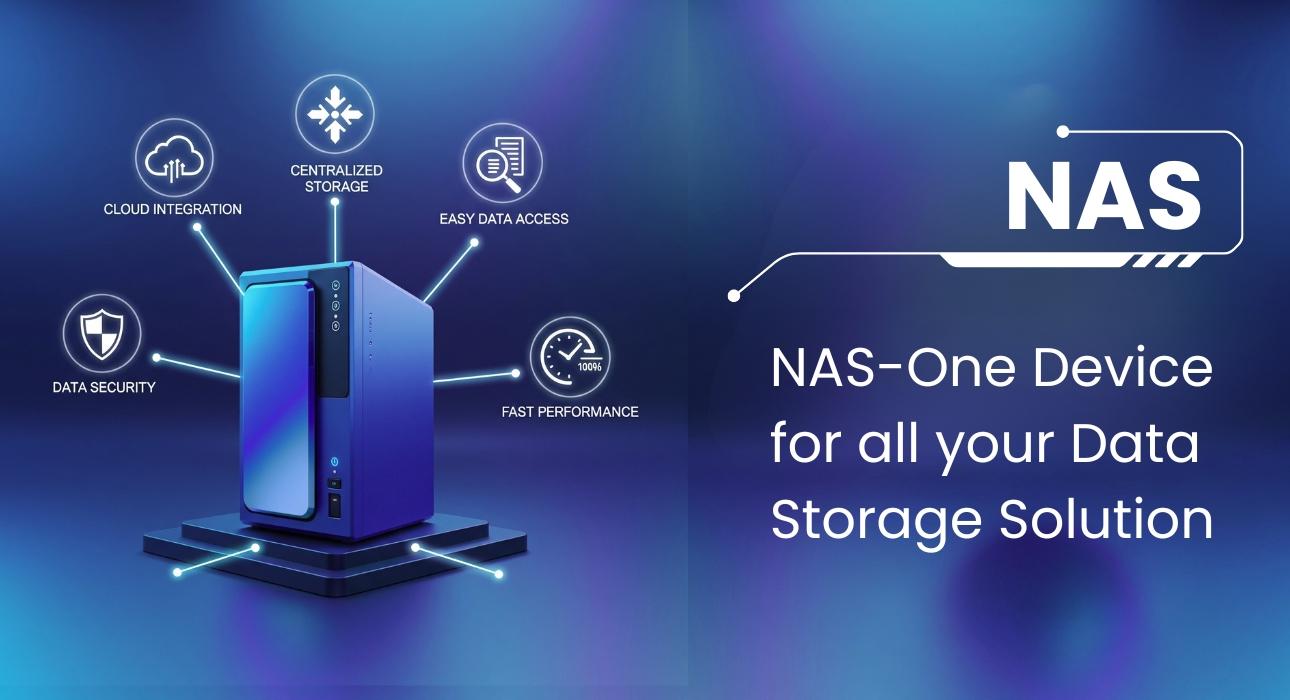
The global network attached storage (NAS) market isn’t just growing—it’s exploding. According to Fortune Business Insights the global NAS market is projected to reach USD 40.33 billion in 2024 and grow significantly to USD 137.21 billion by 2032, with an annual growth rate of 16.6%.
Forward-thinking businesses are already adopting #NAS to secure critical data, enable seamless collaboration, and slash IT costs.
When designing a storage architecture, organizations need to consider not only the type of data they plan to store but also key factors such as cost, #backup&recovery, performance, #DataSecurity and ease of management. NAS storage solutions have emerged as a popular choice to meet these needs.
Let’s See How NAS is Beneficial for Modern Businesses.
Centralized Data Management
One of the biggest benefits of NAS is centralized storage. All your critical business data—documents, media files, and backups—can be stored in one place. This makes it easy for employees to access, manage, and share files without relying on individual devices or external drives.
- Simplifies IT management
- Reduces data duplication
- Enhances teamwork through file sharing
Scalability for Business Growth
NAS solutions are highly scalable. As business data storage needs grow, you can easily add more drives or upgrade your existing NAS system without replacing the entire system.
- Future-proofs your #ITInfrastructure
- Supports growing data volumes
- Avoids the high upfront costs of large storage systems
Improved Data Accessibility
Since NAS is connected to your network, authorized users can access files from any device at any time. Many modern NAS systems even offer remote access capabilities, allowing teams to collaborate securely from different locations.
- Supports hybrid and remote work models
- Enables 24/7 access to critical files
- Improves productivity and collaboration
Enhanced Data Protection and Backup
NAS devices often come equipped with #RAID (Redundant Array of Independent Disks) and built-in backup solutions. It offers robust data protection against drive failures or accidental deletions.
- Ensures data redundancy and recovery
- Reduces the risk of data loss
- Supports automatic scheduled backups
Cost-Effective Storage Solution
Compared to traditional server setups or cloud subscriptions, NAS can be a more affordable solution for SMB than other storage solutions. It offers enterprise-level features without the complexity or high maintenance costs.
- Lower total cost of ownership (TCO)
- Minimal maintenance and administration
- Energy-efficient hardware reduces utility bills
Customizable and Feature-Rich
Modern NAS systems offer a wide range of customizable features that can be tailored to fit the specific needs of different business environments.
- User permissions and access protect against unauthorized access
- Multimedia streaming capabilities
- Integrated antivirus and firewall protection
- Support for third-party apps (Backup tools like Veeam Backup and surveillance software)
Simple Setup and User-Friendly Interface
NAS solutions are designed for ease of use. With intuitive dashboards and minimal setup time, even businesses without a full IT team can deploy and manage a NAS system with confidence.
- Quick deployment
- Minimal training required
- Accessible interface for all users
Peace of Mind: Reliability and Data Protection
With a rich set of features, NAS solutions offer users strong confidence in the safety and integrity of their data. Engineered for reliability, NAS devices include capabilities such as redundancy, automated backups, and error recovery to safeguard against data loss. This dependable performance—combined with intuitive management, cost-effectiveness, and easy scalability—delivers a seamless and secure storage experience for businesses of all sizes.
Real-World Use Cases for NAS Storage
NAS a practical solution that fits into many everyday business scenarios. Many organizations and teams are using NAS to make their work easier and more efficient:
Small Businesses: Whether it's storing client files, managing internal documents, or backing up data, NAS gives small teams a simple and affordable way to stay organized without needing a complex IT setup.
Creative Teams: Designers, video editors, and content creators love NAS for its ability to store large media files in one place. Everyone can access the latest version of a project, streamlining collaboration and saving time.
Remote and Hybrid Teams: With NAS, files are no longer tied to a single device or location. Teams working from different places can securely access shared files anytime, making remote work feel more connected and seamless.
Backup and Recovery: NAS acts as a safety net by automatically backing up important data. In the event of accidental deletions or hardware failures, everything is still recoverable, bringing peace of mind to IT managers and business owners alike.
Considering all these features NAS have some limitations
Single Point of Failure
If the NAS device fails, all stored data becomes inaccessible until it is repaired or restored. Unlike cloud solutions that maintain multiple backups across locations, NAS relies on local hardware.
Limited Scalability
Expanding NAS storage often means adding new hard drives or replacing existing ones with larger capacity drives. This can be more restrictive compared to cloud solutions that allow on-demand scalability.
Performance Bottlenecks
Since NAS depends on the local network, performance can slow down if multiple users access large files simultaneously or if the network bandwidth is limited.
Maintenance Responsibility
Businesses must handle setup, monitoring, upgrades, and repairs. This requires IT expertise and time, unlike cloud services where maintenance is handled by the provider.
Security Risks
NAS devices connected to the internet can be vulnerable to cyberattacks if not properly secured. Misconfigured access controls and outdated firmware can lead to data breaches.
Power and Hardware Dependency
A NAS device requires continuous power and functioning hardware. In case of power outages, hardware failure, or disk crashes, data availability can be disrupted.
Upfront Costs
While NAS is cost-effective in the long run, the initial investment in hardware, drives, and setup can be higher compared to starting with cloud storage.
Geographic Limitation
Accessing files stored on a NAS outside the office or home may require VPNs or additional configuration, unlike cloud solutions that provide seamless global access.
If you're looking for a reliable, secure, and scalable way to manage and protect your business data. Talk to our team today to select, configure, and optimize the NAS setup your business deserves.
Frequently Asked Questions (FAQs)
NAS centralizes data, maintains access logs, secures backups, and ensures file integrity—all crucial for audit trails and compliance with data protection regulations.
A NAS should follow the 3-2-1 backup rule: keep 3 copies of data, on 2 different media types, with 1 copy offsite. Practical implementations include scheduling automated backups from the NAS to an external USB drive (local), replicating to a second NAS at a different site (offsite), and optionally syncing cold data to a cloud tier like Amazon S3 Glacier or Backblaze B2 for long-term archiving. Most NAS operating systems include built-in backup apps for all three layers.